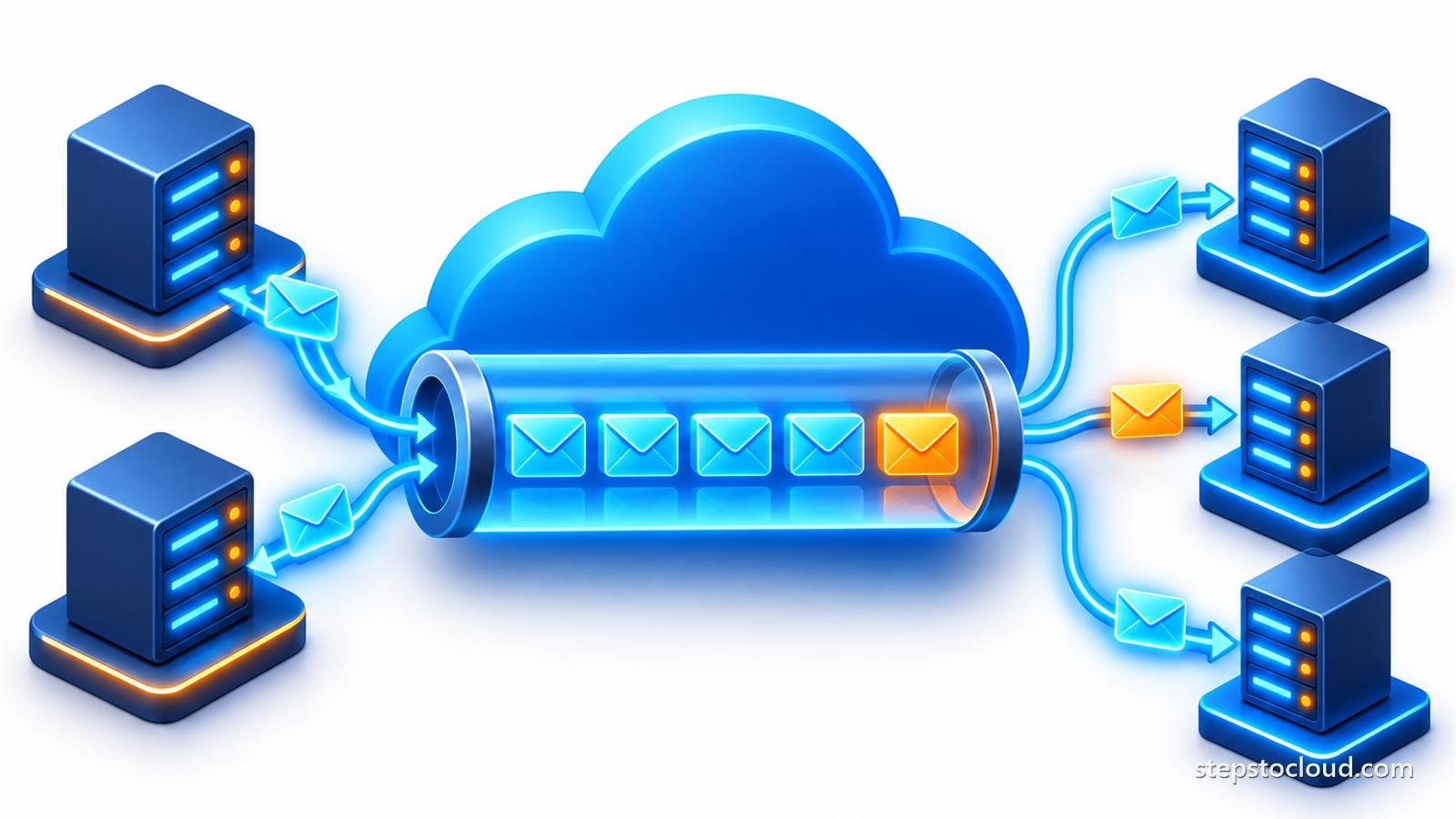
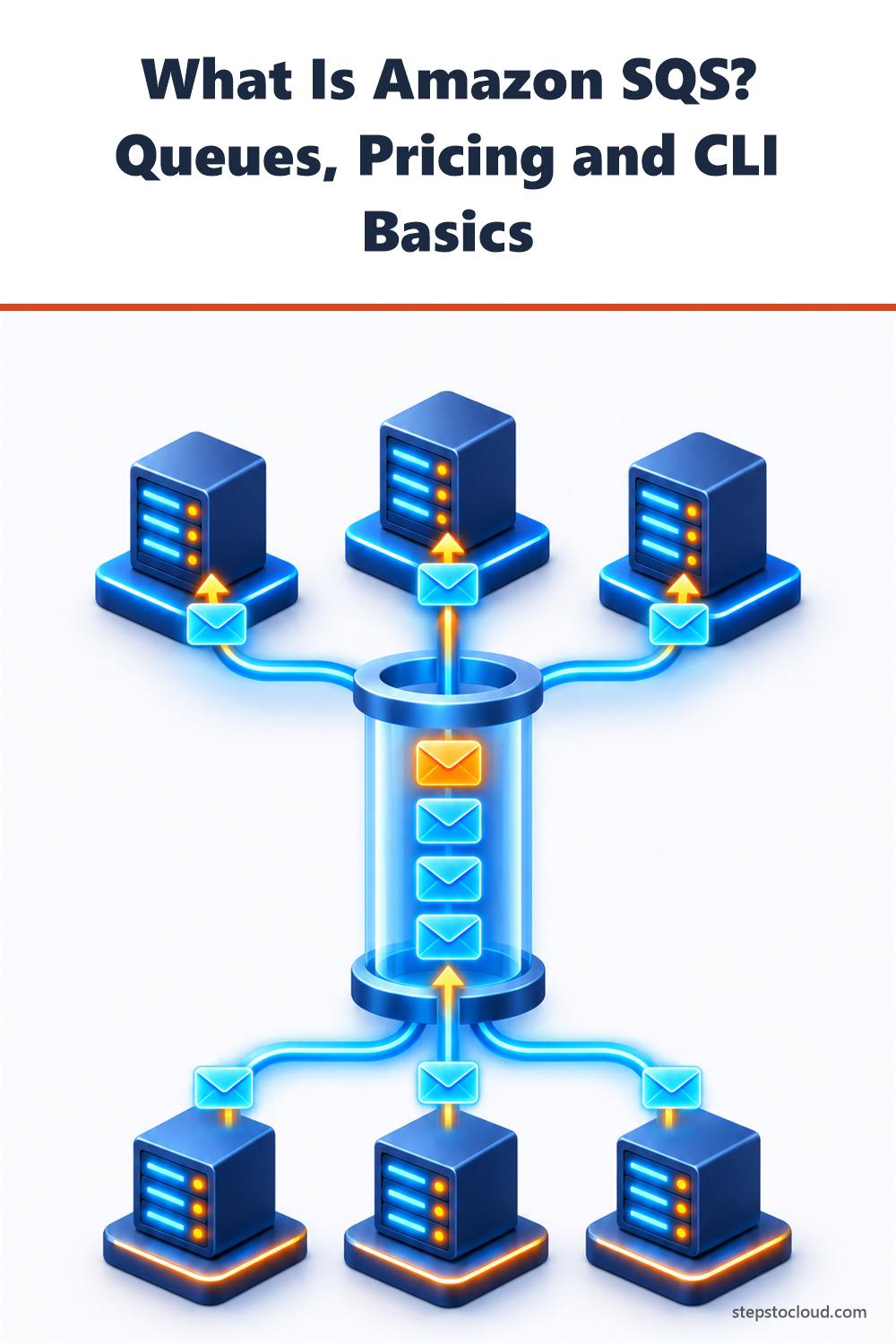
What is AWS SQS? It’s Amazon Simple Queue Service, a fully managed message queue: one part of your app drops messages in, and another part pulls them out when it’s ready.
Neither side has to be online at the same time, so a crashed worker doesn’t lose work. That worker can be a server, a container or an AWS Lambda function that polls the queue for you.
The example running through this guide: an order service that must not lose a single order, even when the payment worker falls over halfway through checkout.
Last checked against the AWS docs on November 21, 2026.
This post contains affiliate links. As an Amazon Associate, Stepstocloud.com earns from qualifying purchases.
Queue decoupling questions are common on the Solutions Architect Associate exam. If that exam is on your list, the Sybex AWS Certified Solutions Architect Study Guide pairs well with the lab below.
What is AWS SQS? Learn the three core ideas first
Amazon SQS is one of the first services Amazon Web Services ever offered, launched in 2006. The model is still three calls: send, receive, delete. Three ideas explain nearly everything else.
Follow one message from send to delete
Your order service, the producer, calls SendMessage. On a standard queue, SQS stores copies across multiple Availability Zones, so the order survives a single server failure.
A payment worker, the consumer, calls ReceiveMessage. Nothing is pushed to it. It asks, and SQS hands back up to 10 messages.
Receiving doesn’t remove anything. The message stays in the queue, hidden from other workers, until your code finishes and calls DeleteMessage with the receipt handle from that receive. The MessageId won’t work for deletes.
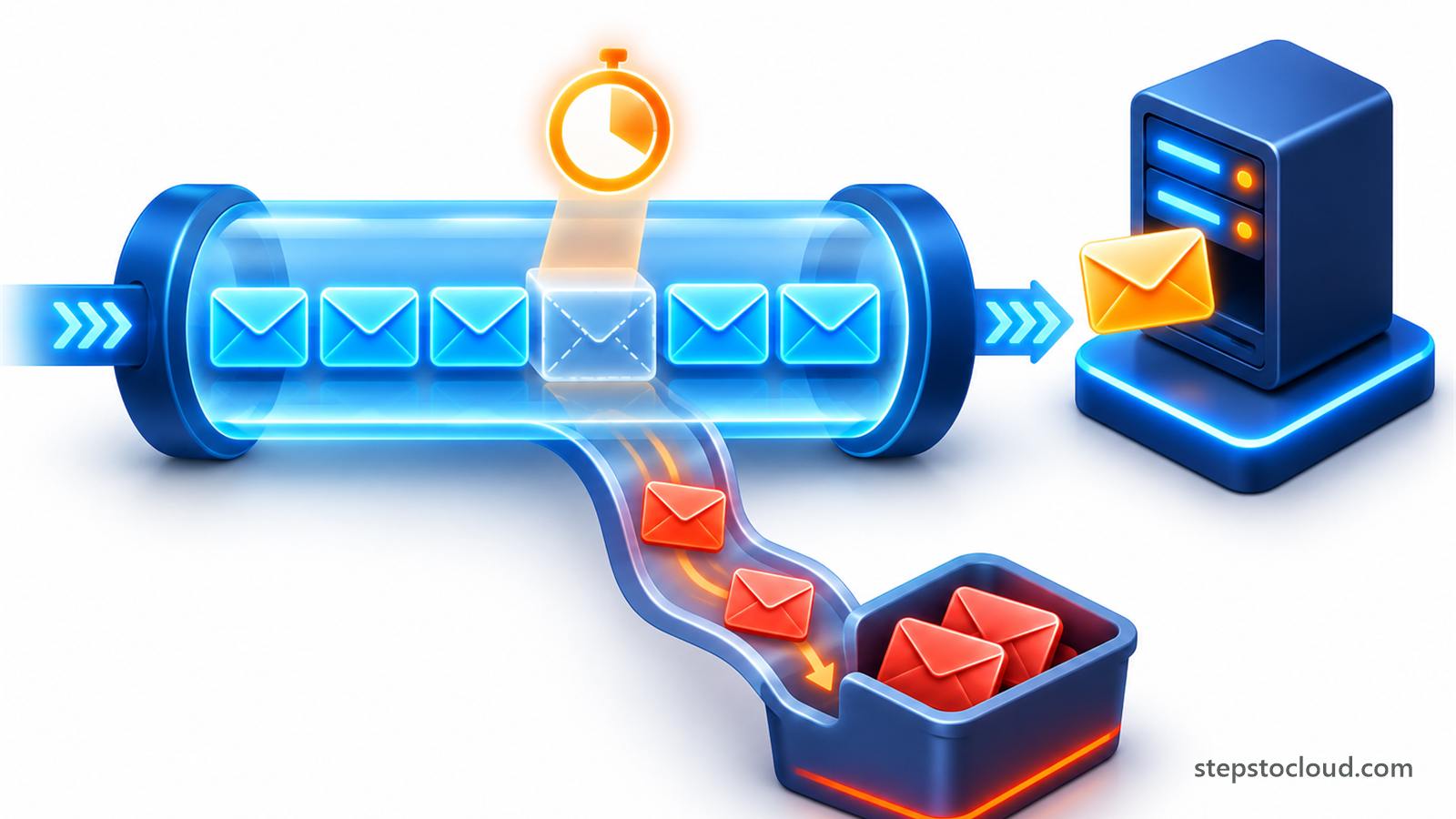
If the worker crashes before it deletes, the message turns visible again and another worker picks it up. That one rule is why the order service never drops an order.
Several workers can poll the same queue. They compete, and each message goes to one of them. Unread messages wait 4 days by default (14 at most), and the backlog has no size cap.
Pick a standard or FIFO queue
You choose the type when you create the queue, and you can’t convert a standard queue to FIFO later. This is the SQS standard vs FIFO split in one table (US East prices):
| Feature | Standard queue | FIFO queue |
|---|---|---|
| Delivery | At least once (rare duplicates) | Exactly-once processing |
| Order | Best effort | Strict, within each message group |
| Throughput | Nearly unlimited calls per second | 300 calls/s per API action, 3,000 messages/s with batching; far more in high-throughput mode |
| In-flight messages | About 120,000 | 120,000 |
| Per-message delay | Yes, up to 15 minutes | No, queue-level delay only |
| Deduplication | None | 5-minute window |
| Queue name | Any valid name | Must end in .fifo |
| Price after the free tier | $0.40 per million requests | $0.50 per million requests |
Standard queues deliver at least once, so a message can occasionally arrive twice. Make the consumer idempotent: before charging order 1001, check whether order 1001 is already paid.
FIFO queues give exactly-once processing and strict order, but only inside a message group. Use the customer ID as the MessageGroupId, and each customer’s events stay in sequence while different customers run in parallel.
There’s a middle option. Fair queues, launched in July 2025, are standard queues where you add a MessageGroupId per tenant, so one flooding customer can’t delay the quiet ones. They add $0.10 per million requests in US East.

Set the visibility timeout and a dead-letter queue
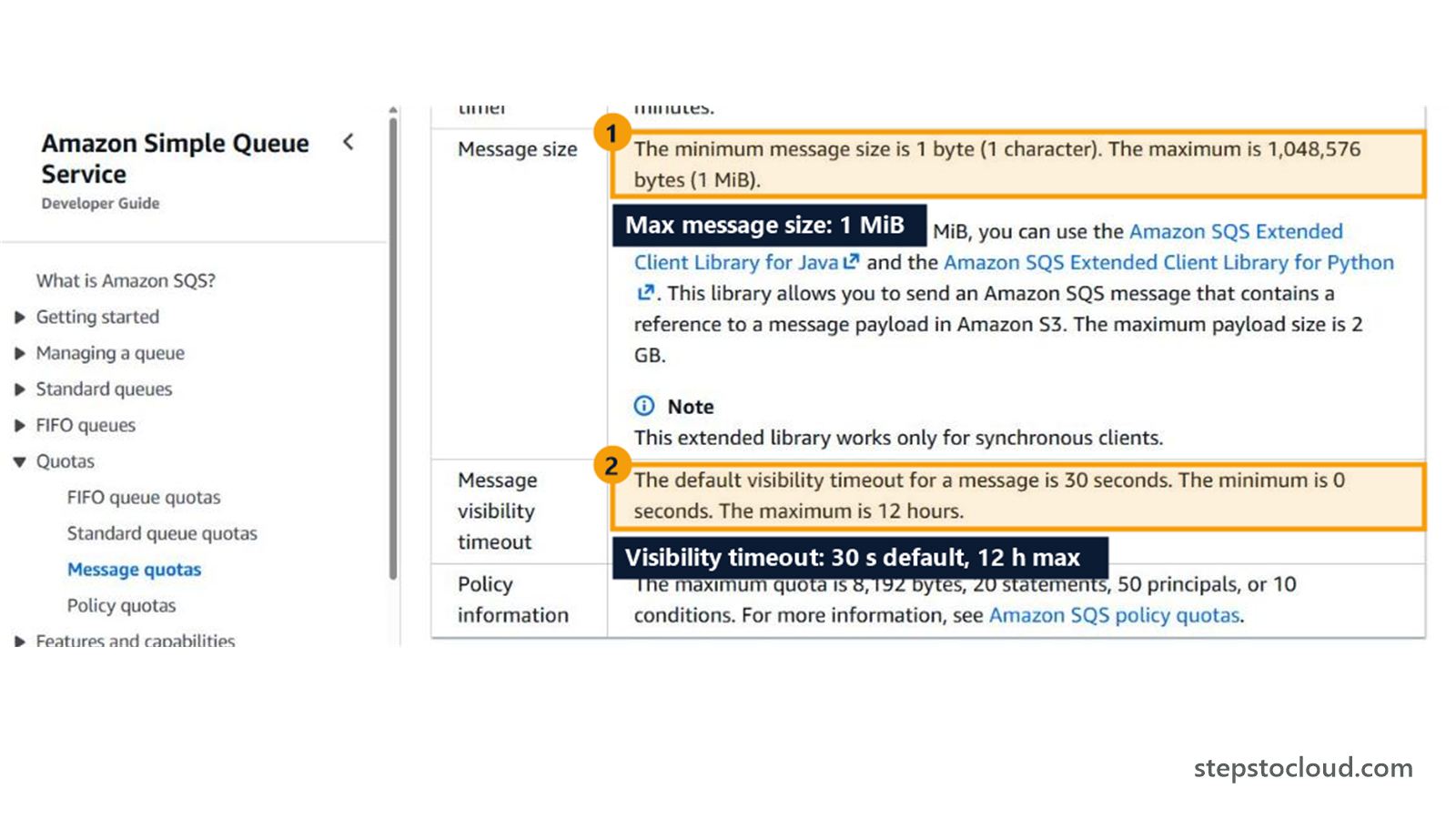
The SQS visibility timeout is how long a received message stays hidden from other consumers. It’s 30 seconds by default and can be anything from 0 seconds to 12 hours.
Set it longer than your slowest normal job. Too short, and a second worker grabs the order while the first is still talking to the card processor.
Some messages will never succeed: a malformed order, a product that no longer exists. A dead-letter queue (DLQ) catches them so they stop looping.
On the source queue you set a redrive policy with a maxReceiveCount. Once a message has been received more times than that without a delete, SQS moves it to the DLQ.
The DLQ must live in the same account and Region as the source, and match its type: a FIFO queue needs a FIFO DLQ, a standard queue a standard one.
Run the Amazon SQS lab with the AWS CLI
You need the AWS CLI v2 (here’s how to install the AWS CLI on Mac and Windows) and a profile for an IAM user or role that can call SQS. Don’t use the root user; AWS IAM basics covers why.
Everything runs in us-east-1, with 111122223333 standing in for your account ID. The commands use bash line breaks (\). In PowerShell, swap each \ for a backtick or put the command on one line.
Create a standard queue
aws sqs create-queue \
    --queue-name orders-queue \
    --attributes VisibilityTimeout=60,ReceiveMessageWaitTimeSeconds=20,MessageRetentionPeriod=345600 \
    --region us-east-1
You’ll see one line of JSON come back with a QueueUrl. Copy it, because every later command needs it. Give a brand-new queue a second before you use it.
The 60-second visibility timeout gives the payment worker room to finish. ReceiveMessageWaitTimeSeconds=20 turns on long polling for every receive, and 345600 seconds is the 4-day default retention written out.
Check that the settings stuck:
aws sqs get-queue-attributes \
    --queue-url https://sqs.us-east-1.amazonaws.com/111122223333/orders-queue \
    --attribute-names VisibilityTimeout ReceiveMessageWaitTimeSeconds \
    --region us-east-1
You should see 60 and 20 in the Attributes block.
Create a FIFO queue
aws sqs create-queue \
    --queue-name orders-queue.fifo \
    --attributes FifoQueue=true,ContentBasedDeduplication=true \
    --region us-east-1
The name must end in .fifo, and those five characters count toward the 80-character name limit. ContentBasedDeduplication=true makes SQS hash the body with SHA-256, so you don’t have to send a deduplication ID.
Need ordered delivery above 3,000 messages a second? Create a high-throughput FIFO queue instead:
aws sqs create-queue \
    --queue-name clicks.fifo \
    --attributes FifoQueue=true,DeduplicationScope=messageGroup,FifoThroughputLimit=perMessageGroupId \
    --region us-east-1
Send a message to each queue
# Standard queue
aws sqs send-message \
    --queue-url https://sqs.us-east-1.amazonaws.com/111122223333/orders-queue \
    --message-body '{"orderId":"1001","total":42.50}' \
    --region us-east-1

# FIFO queue: --message-group-id is required
aws sqs send-message \
    --queue-url https://sqs.us-east-1.amazonaws.com/111122223333/orders-queue.fifo \
    --message-body '{"orderId":"1001","status":"paid"}' \
    --message-group-id customer-42 \
    --region us-east-1
Each call returns a MessageId. Leave –message-group-id off the FIFO send and the call fails, because every FIFO message needs a group.
Now test deduplication: run the FIFO send a second time within 5 minutes. Both calls succeed, but the queue keeps one copy, since the body is identical.
Receive messages with long polling
aws sqs receive-message \
    --queue-url https://sqs.us-east-1.amazonaws.com/111122223333/orders-queue \
    --max-number-of-messages 10 \
    --wait-time-seconds 20 \
    --message-system-attribute-names ApproximateReceiveCount \
    --region us-east-1
The reply lists Messages, each with a MessageId, Body, ReceiptHandle and an ApproximateReceiveCount of 1. On an empty queue, the command waits up to 20 seconds and returns nothing.
That wait is the point. Short polling, the default, samples a weighted random subset of servers and returns at once, often empty. Long polling waits up to 20 seconds and checks all SQS servers, at no extra charge.
Run the same receive again within 60 seconds and you won’t see that message: it’s inside its visibility timeout. Wait past 60 seconds and it returns with ApproximateReceiveCount 2.
If your CLI rejects –message-system-attribute-names, the build is older. Use –attribute-names All instead.
Delete the message with its receipt handle
aws sqs delete-message \
    --queue-url https://sqs.us-east-1.amazonaws.com/111122223333/orders-queue \
    --receipt-handle "AQEBzbVv...fqNzFw==" \
    --region us-east-1
No output means it worked. Paste the receipt handle from your most recent receive: every receive issues a new one, and only the latest reliably deletes.
Check by running the receive command again. After the 20-second wait, you’ll get an empty reply.
Add a dead-letter queue with a redrive policy
Create the DLQ with 14-day retention (1,209,600 seconds), then fetch its ARN:
aws sqs create-queue \
    --queue-name orders-dlq \
    --attributes MessageRetentionPeriod=1209600 \
    --region us-east-1

aws sqs get-queue-attributes \
    --queue-url https://sqs.us-east-1.amazonaws.com/111122223333/orders-dlq \
    --attribute-names QueueArn \
    --region us-east-1
Save the following as redrive.json. The policy is a JSON string inside JSON, which is why a file beats inline quoting, especially in PowerShell:
{
  "RedrivePolicy": "{\"deadLetterTargetArn\":\"arn:aws:sqs:us-east-1:111122223333:orders-dlq\",\"maxReceiveCount\":\"5\"}"
}
Attach it to the source queue:
aws sqs set-queue-attributes \
    --queue-url https://sqs.us-east-1.amazonaws.com/111122223333/orders-queue \
    --attributes file://redrive.json \
    --region us-east-1
With maxReceiveCount set to 5, an order that’s been received more than 5 times without a delete moves to orders-dlq. Run get-queue-attributes with –attribute-names RedrivePolicy, and you should see the DLQ ARN and the count.
Why 14 days on the DLQ? A standard queue keeps each message’s original enqueue time.
Give the DLQ a longer retention period than the source queue, or an order that spent 1 day in orders-queue gets only 3 more days in a 4-day DLQ.
FIFO queues reset that clock when a message moves to the DLQ. Once you’ve fixed the bug, the console’s DLQ redrive moves the stuck messages back to the source queue.
Clean up the lab queues
aws sqs delete-queue --queue-url https://sqs.us-east-1.amazonaws.com/111122223333/orders-queue --region us-east-1
aws sqs delete-queue --queue-url https://sqs.us-east-1.amazonaws.com/111122223333/orders-queue.fifo --region us-east-1
aws sqs delete-queue --queue-url https://sqs.us-east-1.amazonaws.com/111122223333/orders-dlq --region us-east-1
Wait at least 60 seconds before reusing a deleted queue’s name. To empty a queue but keep it, purge-queue removes every message, available and in flight. It takes up to 60 seconds and can’t be undone.
Connect the queue to Lambda
Most teams don’t write a polling loop. They point a Lambda event source mapping at the queue, and Lambda polls for them, starting with 5 concurrent batches and scaling up to 1,250 concurrent invokes.
Three settings decide whether that setup behaves:
- Visibility timeout: set it to at least six times your function timeout, plus the batching window if you use one.
- maxReceiveCount: at least 5, so a throttled invoke doesn’t push a good order into the DLQ.
- ReportBatchItemFailures: turn it on. Without it, one bad message sends the whole batch back to the queue.
Batches can hold up to 10,000 messages on a standard queue, but anything above 10 needs a batching window of at least 1 second. The queue and the function must share a Region; they can sit in different accounts.
Work out your SQS pricing with a real monthly bill
Amazon SQS bills per request, and the first 1 million requests each month are free, counted across all Regions except GovCloud. Unused free requests don’t roll over. After that, US East (N. Virginia) charges:
| Monthly requests | Standard queue | FIFO queue |
|---|---|---|
| Up to 100 billion | $0.40 per million | $0.50 per million |
| Next 100 billion | $0.30 per million | $0.40 per million |
| Over 200 billion | $0.24 per million | $0.35 per million |
Two rules shape your SQS pricing. Each 64 KB chunk of a payload counts as one request, so a single 1 MiB send is billed as 16 requests.
And a batch call costs the same as a single call. Ten 3 KB messages sent together stay inside one 64 KB chunk, so you pay for one request instead of ten.
Data transfer between Amazon SQS and other services in the same Region is free. Cross-Region and internet transfer, KMS calls for SSE-KMS and S3 storage for oversized payloads bill separately.
Price 5 million orders a month
The order service sends 5 million messages a month, 3 KB each, to a queue in us-east-1. One consumer long-polls with a 20-second wait, which adds about 129,600 empty receives over 30 days.
| Scenario | Requests in the month | Billable after 1M free | Monthly cost |
|---|---|---|---|
| Standard, one message per call | 5M sends + 5M receives + 5M deletes + 0.13M empty polls = 15.13M | 14.13M x $0.40 | About $5.65 |
| Standard, batches of 10 | 0.5M + 0.5M + 0.5M + 0.13M = 1.63M | 0.63M x $0.40 | About $0.25 |
| FIFO, one message per call | 15.13M | 14.13M x $0.50 | About $7.07 |
| Idle queue, short polling once a second | 2,592,000 empty receives | 1.59M x $0.40 | About $0.64 for nothing |
| Standard, 200 KB messages, one per call | 20M sends + 20M receives + 5M deletes = 45M (4 chunks each) | 44M x $0.40 | About $17.60 |
Batching turns a $5.65 bill into about 25 cents. Long polling matters most when traffic is quiet: a 20-second wait cuts those 2.6 million empty receives to about 129,600.
The 200 KB row assumes partial chunks round up. The pricing page implies it with its 1 MiB example but doesn’t spell it out, so treat that row as an estimate.
These are US East rates. If your queues run in London, Canada Central or Sydney, check that Region’s rates on the SQS pricing page before you budget.
Check the Amazon SQS limits before you design
Many Amazon SQS guides still quote the old numbers. The biggest change: a single message can now be up to 1 MiB (1,048,576 bytes).
AWS raised it from 256 KiB on August 4, 2025, for standard and FIFO queues.
| Limit | Standard | FIFO |
|---|---|---|
| Message size | 1 byte to 1 MiB | 1 byte to 1 MiB |
| Retention | 60 seconds to 14 days (default 4 days) | Same |
| Visibility timeout | 0 seconds to 12 hours (default 30 seconds) | Same |
| Long polling wait | 0 to 20 seconds | Same |
| Delivery delay | 0 to 15 minutes, per queue or per message | 0 to 15 minutes, per queue only |
| In-flight messages | About 120,000 | 120,000 (raised from 20,000 in November 2024) |
| Throughput | Nearly unlimited | 300 calls/s per API action, 3,000 messages/s batched |
| High-throughput FIFO (us-east-1) | Not applicable | 70,000 calls/s, 700,000 messages/s batched |
| Messages per batch | 10 | 10 |
| Attributes per message | 10 | 10 |
| Queue name | 80 characters | 80 characters, ending in .fifo |
| Deduplication window | None | 5 minutes |
| Messages stored | Unlimited | Unlimited |
High-throughput FIFO depends on the Region. Without batching, you get 70,000 calls a second in N. Virginia, Oregon and Ireland, 19,000 in Ohio and Frankfurt, 9,000 in Sydney and 4,500 in London.
Regions outside those groups, Canada Central among them, get 2,400. Batching multiplies each figure by 10. The queue types page still says 30,000; the quotas page and the FAQ both list the newer 70,000.
At the in-flight cap, a standard queue with short polling returns an OverLimit error. A FIFO queue returns no error but processing may slow down.
Payloads over 1 MiB need the Extended Client Library (Java and Python, synchronous clients only). It stores the body in Amazon S3, up to 2 GB, and sends a pointer through the queue.
Encryption at rest uses SQS-managed keys (SSE-SQS) by default. Switch to SSE-KMS when you need to control the keys yourself in AWS Key Management Service.
Fix messages that reappear, pile up or get rejected
Work down this table in order. Most Amazon SQS problems come from the visibility timeout, a missing delete or an unbatched FIFO queue.
| Symptom | Likely cause | Fix |
|---|---|---|
| Messages reappear or get processed twice | The visibility timeout is shorter than the job, or the delete used an old receipt handle. Standard queues can also deliver a rare duplicate. | Raise the timeout, or extend it with ChangeMessageVisibility while the job runs. Note that the visibility timeout tops out at 12 hours from the first receive, and extending it doesn’t reset that clock. Make the handler idempotent. |
| Queue never empties | Consumers receive but never delete, poison messages loop with no DLQ, or there are too few consumers. | Delete after each success, add a DLQ with a maxReceiveCount, add consumers. Watch ApproximateNumberOfMessagesNotVisible to see how many are in flight. |
| FIFO throttled | Over 300 calls/s per API action without batching, or all traffic in one message group. A group is blocked while one of its messages is in flight. | Batch up to 10 messages (3,000 messages/s), enable high-throughput mode, and spread work across more MessageGroupIds. |
| Message too large | The body is over 1 MiB, or the queue’s MaximumMessageSize was set lower (it can go down to 1,024 bytes). | Raise MaximumMessageSize, or move the payload to S3 with the Extended Client Library and send the pointer. |
| InvalidMessageContents | The body has characters outside the allowed Unicode ranges. | Send XML, JSON or unformatted text only, and clean out any characters outside the allowed ranges before sending. |
| Good messages land in the DLQ | One failure returned the whole Lambda batch, maxReceiveCount is 1, or Lambda was throttled. | Turn on ReportBatchItemFailures and set maxReceiveCount to at least 5. |
| Receive comes back empty, yet the queue has messages | Short polling sampled the wrong servers, or the messages are hidden by a visibility timeout or delay. | Use –wait-time-seconds 20. Check ApproximateNumberOfMessagesNotVisible and ApproximateNumberOfMessagesDelayed. |
Compare SQS vs SNS vs EventBridge
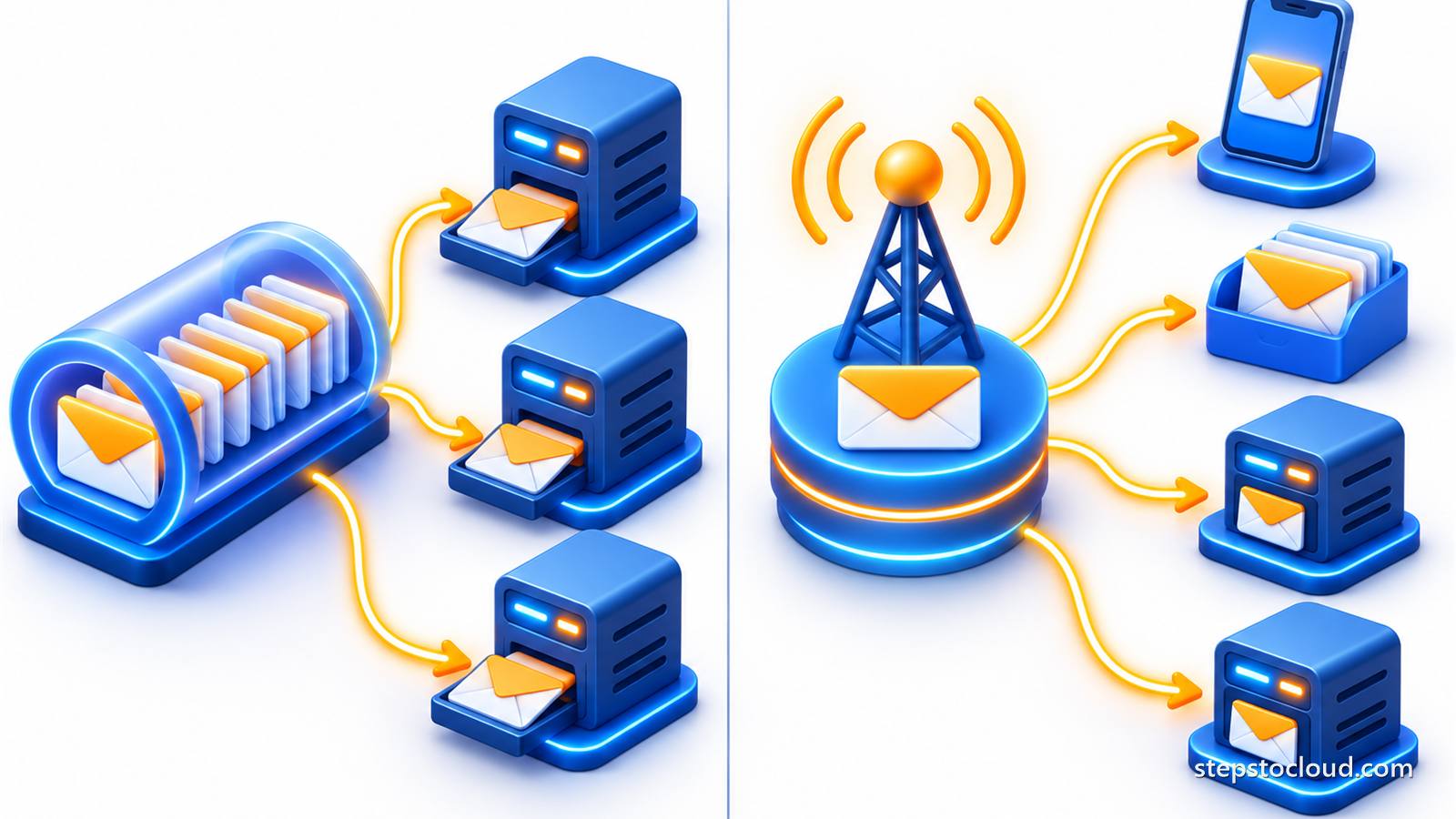
Amazon SQS holds work until one consumer pulls it. Amazon SNS pushes one message to every subscriber. Amazon EventBridge routes events to targets based on rules that match the event’s content.
| SQS | SNS | EventBridge | |
|---|---|---|---|
| Model | Queue; consumers poll | Pub/sub; SNS pushes | Event bus; rules route events |
| Who gets each message | One consumer | Every subscriber | Each target whose rule matches |
| Holds a backlog | Yes, up to 14 days | No, it pushes on publish | No, it routes on arrival |
| Reach for it when | You need to buffer work, absorb spikes and retry safely | Several systems must hear about the same event | You route events from AWS services or SaaS apps by their content |
SNS and Amazon SQS often work together. In the fan-out pattern, the order service publishes one event to an SNS topic, which copies it into separate SQS queues for billing, shipping and analytics.
Each team drains its own queue at its own pace.
Amazon SQS isn’t Kafka, either. A deleted SQS message is gone for good, so if you need to replay a stream, look at Kinesis or Kafka. Quick decision guide:
| Your situation | Use |
|---|---|
| High volume, order doesn’t matter | SQS standard queue |
| Order matters per customer or per order | SQS FIFO queue with a MessageGroupId |
| Ordered and above 3,000 messages a second | High-throughput FIFO |
| One noisy tenant slows everyone else | Standard queue with fair queues |
| One event, many consumers | SNS topic fanning out to SQS queues |
| You need to replay history | Kinesis or Kafka, not SQS |
| Moving an ActiveMQ or RabbitMQ app | Amazon MQ |
This queue-or-topic choice is a favorite exam pattern. If you’re preparing for SAA-C03, Neal Davis’s AWS SAA practice tests let you check you can pick the right service under time pressure.

Sybex Solutions Architect Study Guide
A full SAA-C03 guide for learning where SQS, SNS and Lambda fit in a decoupled design.
Check price on AmazonNeal Davis SAA-C03 Practice Tests
390 exam-style questions to test your queue, topic and event bus choices before exam day.
Check price on AmazonFrequently asked questions
What is AWS SQS used for?
Amazon SQS is used to pass work between parts of an application without making them wait for each other. Common uses are order processing, background jobs, buffering traffic spikes in front of a database, and retrying failed tasks. The producer drops a message in the queue, and a consumer such as a server or Lambda function processes it when ready.
Is SQS push or pull?
SQS is pull-based. Consumers call ReceiveMessage to ask for messages; SQS never pushes to them. When you connect a queue to AWS Lambda, Lambda does the polling for you, so it feels like a push. If you need true push delivery to many subscribers, use Amazon SNS, often with SQS queues subscribed to it.
Is Amazon SQS free?
Partly. The first 1 million SQS requests each month are free, across all Regions except GovCloud, and unused free requests don’t roll over. After that, US East charges $0.40 per million standard requests and $0.50 per million FIFO requests. Each 64 KB chunk of a payload counts as one request, so batching small messages saves money.
What is the maximum message size in SQS?
An SQS message can be up to 1 MiB (1,048,576 bytes). AWS raised the limit from 256 KiB in August 2025 for both standard and FIFO queues. For larger payloads, the Extended Client Library for Java and Python stores the body in Amazon S3, up to 2 GB, and sends a pointer through the queue.
How long can a message stay in an SQS queue?
By default SQS keeps a message for 4 days. You can set the retention period anywhere from 60 seconds to 14 days. After that, SQS deletes the message even if no one has read it. Give a dead-letter queue a longer retention than its source queue, because standard queues keep the original enqueue time.
Can an SQS queue have multiple consumers?
Yes. Many consumers can poll the same queue at once. They compete for messages, and each message goes to one consumer at a time, hidden from the others by the visibility timeout. If several separate systems each need their own copy of every message, put an SNS topic in front and subscribe one queue per system.
Conclusion
So, what is AWS SQS in one line? A managed queue that holds work safely until a consumer is ready, then forgets it once that consumer deletes it.
Get the visibility timeout, the DLQ and long polling right, and the order service keeps every order.
Start with a standard queue, move to FIFO only when order truly matters, and batch every call you can.
- Consumers pull messages and must delete them with the receipt handle; a crashed worker just makes the message reappear.
- Standard queues deliver at least once with best-effort order; FIFO gives exactly-once processing in order within each message group.
- The visibility timeout defaults to 30 seconds and caps at 12 hours; with Lambda, set it to at least six times the function timeout.
- Messages can be up to 1 MiB and stay 4 days by default, 14 at most, with a DLQ catching the ones that keep failing.
- The first 1 million requests a month are free, then $0.40 per million on standard and $0.50 on FIFO in US East; batching cuts the bill most.
Recommended reading
- What Is AWS Step Functions? Orchestrating workflows on AWS
- What Is Amazon DynamoDB?
- AWS SNS, SMS and SQS interview questions
- How much does AWS cost?

I am an Amazon Web Services Professional, having more than 11 years of experience in AWS and other technologies. Extensively working in various AWS tools like S3, Lambda, API, Kinesis, Load Balancers, EKS, ECS, and many more. Working as a Solution Architect and Technology Lead for Architecting and implementing the same for different clients. He provides expert solutions around the world and especially in countries like the United States, Canada, United Kingdom, Australia, New Zealand, etc. Check out the complete profile on About us.
1 thought on “What Is AWS SQS? Amazon Simple Queue Service Explained With a Hands-On Lab”